Customs brokerage is a paper-heavy profession with little room for error. Copying details one by one from the commercial invoice, packing list, transport document and other paperwork into a declaration takes time. And errors don’t stop at data entry: a wrong weight, value or tariff code can lead to amendments, delays and extra checks. OCR can lighten this load. The real question is what it doesn’t change, as much as what it does.
Key takeaways
- OCR turns the text in a document into machine-readable text; AI-powered intelligent document processing (IDP) also aims to classify fields and match them by context.
- A field that has been read is not necessarily a correct field. In customs, what matters is that the same data is consistent across documents.
- OCR can reduce repetitive data entry; tariff classification, resolving conflicts and building the declaration chain correctly remain the customs broker’s decisions.
- Export, transit, ENS/ICS2, GMR and ELO are not used in the same order on every movement; the sequence depends on the route and mode of transport.
- A tool’s real performance shows not in the vendor’s demo but in a test with your own documents.
Why does data entry take so long in customs brokerage?
Take an ordinary export file: a commercial invoice, a packing list, a CMR for road or an AWB for air, and, where needed, origin or movement certificates. The same shipper, consignee, goods description, package and weight details turn up again and again across these documents. Transferring them into declarations is a serious checking job, especially on files with many line items.
For a team handling 15–20 files a day, repetitive data entry can create a significant workload; this figure is an example volume, not an industry average.
Every field entered by hand carries its own risk of error. A wrong HS code or a weight that doesn’t match can lead to an amended declaration or additional examination. The cost of manual entry is not just the hours spent; delays and corrections are part of it too.
What is OCR? The difference between classic OCR and AI-powered document processing
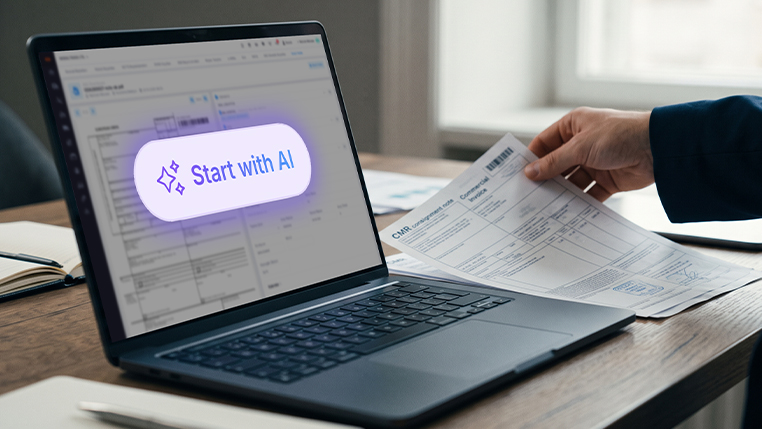
OCR (optical character recognition) turns the text in an image or scanned document into text a machine can process. Traditional, template-based solutions usually capture fields from predefined positions in the document. This approach can struggle when a supplier changes its invoice layout.
AI-powered intelligent document processing (IDP) aims not only to extract text but also to classify fields and match them by context: “This is an HS code, this is the weight, and this is the consignee’s tax number.” But identifying a field this way does not mean the information is legally or operationally correct.
Here is how the three approaches compare:
How does OCR work on customs documents?
On customs documents, OCR extracts value, weight, goods description and party details from the document image, matches them to declaration fields and flags values that don’t match across documents for review. Pulling this information from a single invoice is only the start. The hard part comes next: making sure the documents are consistent with each other and building the declaration correctly. A file is never a single document, and the documents don’t all give the same information at the same level of detail.
The invoice may carry the commercial value and party details; the packing list matters for checking packaging and weights per line item. The data requirements depend on the type of declaration and the route. If the same weight differs between two documents, the system should not pick one at random; it should flag the mismatch for review. In customs, what matters is not that a field has been read, but that it is consistent and correct.
The real issue in the declaration chain: the right sequence and reusable data
On road shipments, export, transit, safety and security, and border crossing formalities run in different systems. They are not used in the same order on every movement. Two typical examples show how the sequence changes with the route:
- Road from Turkey to the EU: An export declaration and an NCTS transit declaration are usually prepared in Turkey; on entry to the EU, an ENS under ICS2 may be required depending on the route.
- Road from the EU to the UK: Entry to the UK may require an ENS (safety and security declaration) and, depending on the route used, a goods movement reference (GMR) in GVMS. For RoRo crossings through the France–UK smart border, ELO has been mandatory since 20 April 2026.
These are general examples; the actual requirements depend on the shipment’s route, mode of transport and the rules of the countries involved. ICS2 coverage has been extended in phases; for application dates, including the temporary national derogations some member states granted for road and rail in 2025, see the European Commission’s ICS2 page. For GMR, the GOV.UK GVMS guidance and, for ELO, the French Customs ELO page are the current sources.
OCR’s main contribution is to capture the data on a document once, present it for verification and help reuse the relevant fields in later steps. But moving data between systems is a capability that comes from integrations and business rules, not from OCR alone. Don’t assume that because a draft export declaration exists, the transit or safety and security filings have been prepared correctly on their own.
Modaltrans is logistics software built for freight forwarders and customs brokers; its Customs Management module brings NCTS, CDS, ENS, GVMS and ELO filings together in one place. This means shipment data that has been verified once can be followed through the different steps of the declaration chain on the same record. You can submit UK declarations directly to CDS or through community system providers (CSPs) such as Destin8, CNS, Pentant and CCS UK.
The limits of OCR: it doesn’t solve everything
The limits need to be stated upfront, because in customs it is the operations team that pays for an overblown promise. Handwriting, faded scans, skewed photos, non-standard tables, multi-page documents and low-quality PDFs can all reduce extraction accuracy.
That is why confidence scores and human review matter. Low-confidence fields and conflicts between documents should be routed for review, and a high confidence score does not automatically mean legal accuracy. Real performance shows not in the provider’s demo but in a test with your own documents.
How is the customs broker’s role changing?
This shift does not automatically remove the customs broker’s job; it can reduce part of the repetitive data entry. The real value lies in getting the tariff classification right, resolving conflicts between documents, understanding why a declaration was rejected and applying the necessary checks. The broker becomes not just the person who enters data, but the person who reviews the draft the system prepares and makes the decisions. We believe technology can make the profession more skilled, provided expert review is not taken out of the process.
How do you measure the impact of OCR?
When assessing the impact of an OCR implementation, looking only at text recognition accuracy is not enough. The outcome also depends on whether the extracted information lands in the right fields, whether inconsistencies are caught, and how long expert review takes.
When you trial a tool, measure these separately: processing time per document, error rate per field, the share of fields sent for human review, the number of corrections and end-to-end declaration preparation time. Don’t credit OCR with gains that come from electronic document management or pre-arrival processing.
Example from Turkey to the EU: a textile shipment from Bursa
A manufacturer in Bursa is shipping textile products to the EU. The customs broker receives a PDF invoice and packing list by email. One of the documents was scanned, so it is slightly skewed.
In the classic workflow, the broker opens both documents, reads the line items and enters them into the export declaration. The same weight and value details are then typed again, separately, into the transit declaration and, if required, the safety and security filing. Repeated entry increases the chance of error.
In an OCR-assisted workflow, the system first extracts the value, weight, goods description and party details and prepares a draft. If the weight on the invoice doesn’t match the packing list, it flags it. The broker resolves the mismatch and reviews the HS code and other fields that require a decision. The approved information can then be reused in later declarations, as far as the integration and the relevant rules allow. The aim is for data verified once to flow through the chain, but the additional information and separate checks each new filing needs are still carried out.
What is left for the broker is the real work: looking at the fields the system isn’t sure about, resolving the parts that need a judgement, such as the HS code, and building the declaration chain correctly.
Conclusion: technology moves the data, the customs broker makes the decision
OCR can greatly reduce the repetitive work of moving data around in customs. What it cannot take over is expert judgement. Knowing which document feeds which filing, checking consistency across documents and making the call on disputed fields are still the customs broker’s responsibility.
The value you should expect from OCR in customs processes goes beyond making document data readable. It also matters that information from different documents is checked consistently and can be used in the relevant workflows after expert approval. So when choosing a solution, look not only at the promise of automatic data extraction, but also at how it handles error checks and human approval.
To see how declaration data is prepared from documents in Modaltrans Customs Management, see our guide on how an NCTS transit declaration is pre-filled from the export declaration, invoice or CMR. If you’d like to see it with your own documents, request a demo.